
(v 1.0)
Safety and usage cautions
Before installing our products, we recommend you to consult the section about safety and usage cautions at the link below

System overview
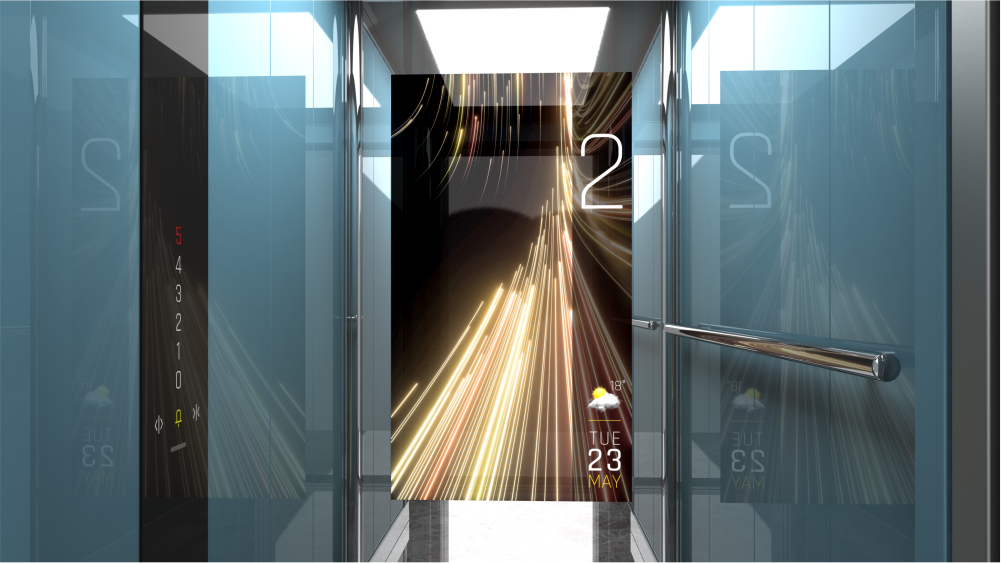
Matisse Mirage is a DMG application that combines technology with refined aesthetics. The MIRAGE function, integrated with the Matisse system, introduces a true “virtual window” capable of simulating the movement of the car, transforming the space into a dynamic experience. In this way, the passenger not only perceives a pleasing visual effect, but also experiences an enhanced sense of motion, contributing to a more engaging and immersive overall ride experience.
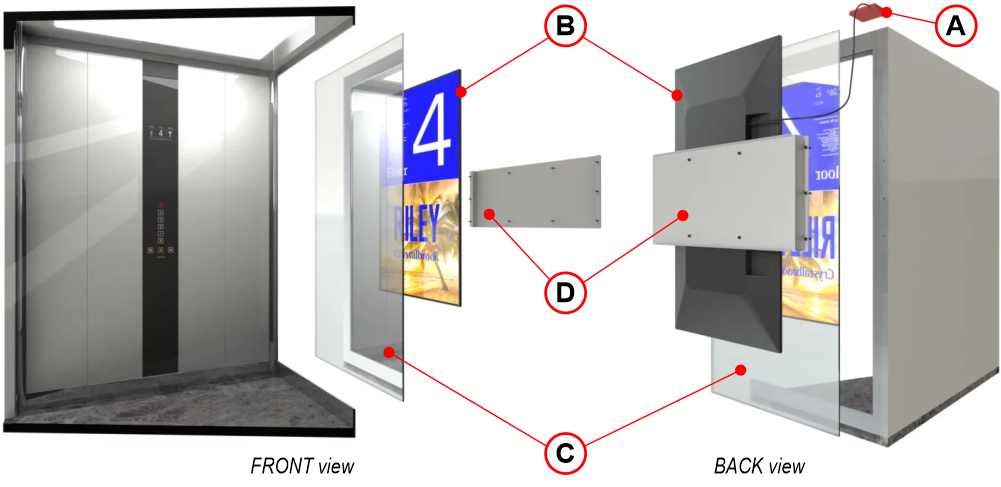
A) Matisse CPU – Supplied with an SD card preloaded with the .mp4 video files required for the application to operate.
B) Monitor / TV screen – There is no single standard; therefore, the device must be selected for each specific installation based on key factors, including:
• Car size and structure
• Installation constraints
• Environmental conditions
C) Mirror glass – The mirrored glass serves as the architectural element replacing one of the cabin walls and is installed in front of the monitor. When the monitor is off, the panel appears as a standard mirror; during video playback, it allows the images displayed on the rear-mounted monitor to be seen through the surface. This component is also considered custom, for the same reasons outlined above, as it is closely linked to the characteristics of the monitor.
D) Custom mounting brackets – This is also a custom kit.
Wiring
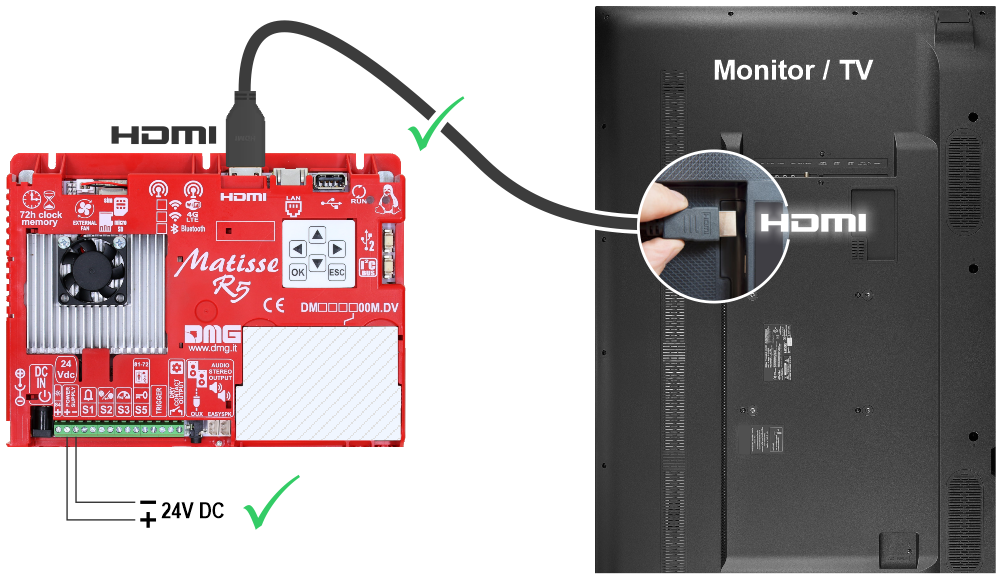
Power the Matisse CPU and connect it to the monitor/TV using an HDMI cable.
Setting on-board parameters
Navigating the on-board Menu
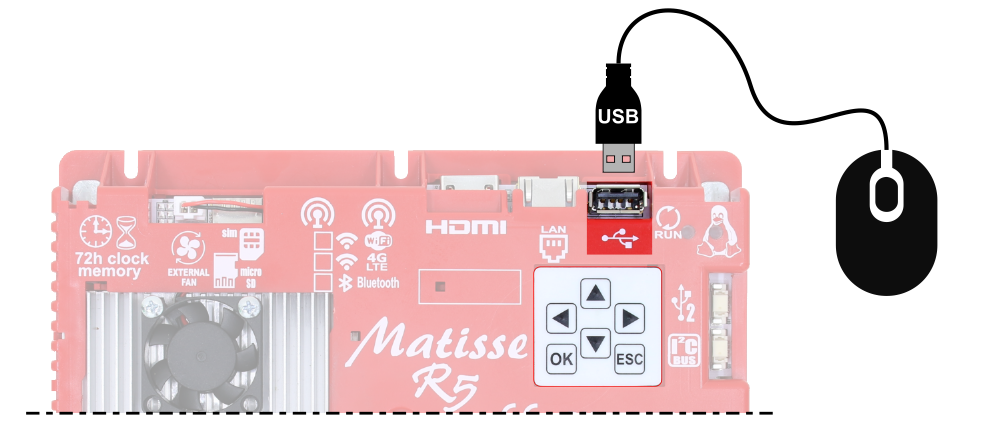
Use the 6-key pad on the back of the device to access and navigate the on-board Menu of the Matisse.
Press OK to enter the menu.
Setting the menu navigation language
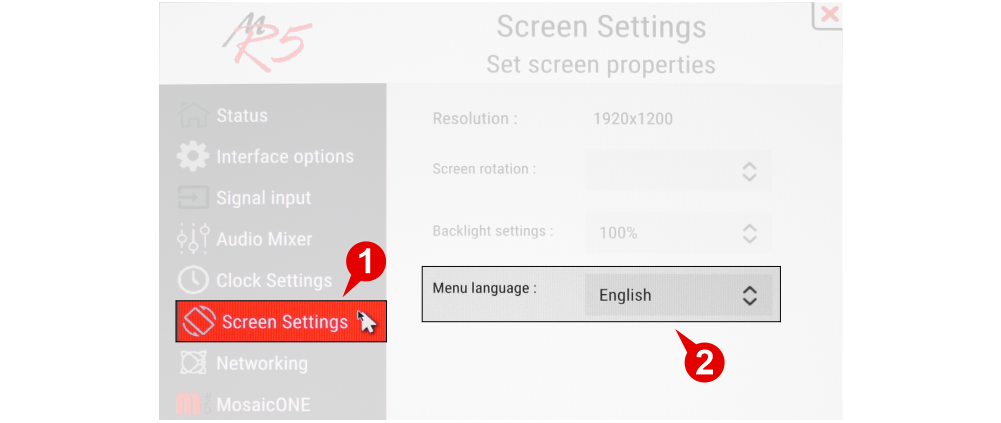
Setting the Matisse MIRAGE parameters
Access the Matisse Apps menu and enable the MIRAGE functionality by pressing the Enable button.
The configurable parameters are described below.
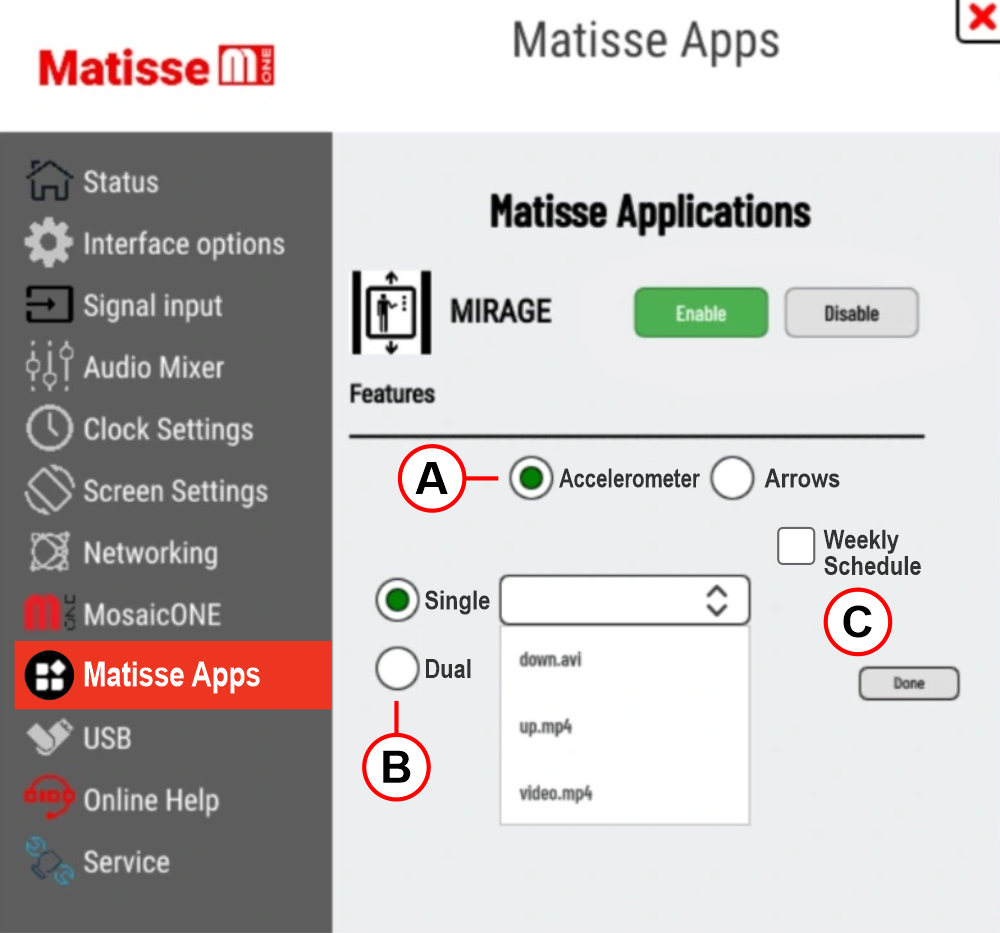
A) Operating mode
Accelerometer – If no data is available from the controller, the selected video is played regardless of car movement.
Arrows – In this mode, video playback depends on a specific external input, either from the physical direction arrow inputs or from a dedicated protocol with the DMG controller or third-party systems.
B) Video selection
Single mode – The same video is played for both directions of travel
Dual mode – In this mode, the same video is displayed rotated 180° for the reverse direction of travel.
C) Weekly schedule
This function allows you to schedule weekly playback of the videos stored on the SD card.
Download
| Reference | Version | Link |
|---|---|---|
| Actual version | 1.0 | Download PDF (English) |